Category Archives: SharePoint 2013

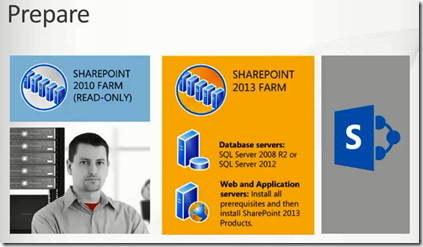
[Arabic Video] Successful Migration to SharePoint 2013

I’ve just uploaded a a quick 20-min Arabic video discussing SharePoint 2013 planning considerations and migration strategies. You can watch the video here ..

33


Next week, I’ll upload the following videos:

– Migration using 3rd-party tools.

– Migration from SharePoint 2007 to SharePoint 2013

– Migration from SharePoint 2010 on-premise to Office 365 SharePoint Online.

Microsoft SharePoint Conference 2012 Slides and Videos

Microsoft SharePoint Conference 2012 is the most comprehensive event in the world dedicated to SharePoint and related technologies. With over 250 sessions, SPC12 will provide you with the training, news and networking you need to administer, deploy, develop and use SharePoint platform at maximum.

In the past only people who attended, those who paid 199$ and Microsoft SharePoint MVPs are eligible to downloading all video sessions at the Microsoft SharePoint Conference 2012. For those who couldn’t make the SharePoint Conference 2012 in Las Vegas last year or weren’t able to have access to all of the sessions now can watch and download without having to pay any pennies. Here you go: http://channel9.msdn.com/Events/SharePoint-Conference/2012

26


[Arabic Webinar] Web Content Management in SharePoint Server 2013 & Office 365

opic: Web Content Management in SharePoint Server 2013 & Office 365
Presenters: Marwan Tarek & Ayman El-Hattab
Date: 20/8/2013
Time: 18.00 – 19.00 Dubai Time, 16.00 – 17.00 Cairo Time

Microsoft SharePoint Server 2013 & Office 365 provide new, richer sets of web content management (WCM) functionality primed to enable organizations to truly use SharePoint as the customer-facing aspect of its business. With the powerful new content search capabilities, metadata-driven navigation, and features including design manager and cross-site publishing, this presents a real paradigm shift for the platform.

12


The webinar will be in Arabic. You can register from here.

[Arabic Webinar] Increasing SharePoint Performance while Reducing Storage Costs

banner
Collaborate
meet Please don’t miss our webinar on June 25, on Increasing Performance for Microsoft® SharePoint® Deployments
while Reducing Storage Costs – Arabic,
 where AvePoint will discuss strategies and help you learn more about how to manage your SharePoint environment to ensure top platform performance and productivity.Register today and join us to learn more.
pic
Presented in Arabic by SharePoint MVP Ayman El – Hattab
video1
Meet AvePoint, the leader in governance, compliance, and management solutions for social enterprise collaboration platforms. video2
As a technology company, collaboration is the fundamental channel of information, creativity, quality products, intellectual property, and even community presence. It has been the lifeblood of our company in moving from two founding employees to more than 1,300 employees worldwide.
Infrastructure Productivity
webinars
blog
vision
Case Study bottom3
Compliance Governance brochure
bottom
Have a look at our brochure for more information on AvePoint in the Middle East.
For more information, please visit www.AvePoint.com .

SharePoint 2013 Migration Webinar: Agenda & Demos

Some folks have asked me about the agenda for the upcoming Migration webinar which I’m delivering on Tuesday 28th and whether I’m planning to show real-life migrations. This post is to answer those questions..

Here is the agenda :

  1. Planning Considerations (What questions you should answer before starting the migration project)
  2. SharePoint OOB/Native Upgrade (2010 –> 2013)
  3. SharePoint Upgrade Design Goals (safer, less downtime, more control to administrators, etc…)
  4. New Upgrade Features in SharePoint 2013 (Deferred Site Collection upgrade, Site Collection health checks, etc… )
  5. Different options for migration to Office 365 SharePoint Online

& here are the planned demos:

  1. New Upgrade Features in SharePoint 2013
  2. Direct real-life migration (SharePoint 2007 –> SharePoint 2013)
  3. Direct real-life migration (SharePoint 2010 –> Office 365 SharePoint 2013 Online)

Looking forward to “virtually” meeting you ..

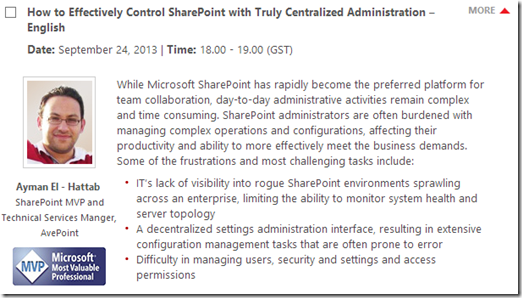
[Arabic Webinar] Successful Migration to SharePoint 2013 – Planning Considerations & Migration Strategies

Date: May 28, 2013 | Time: 14.00 – 15.00 (Dubai Time, GMT +4)

5

Microsoft SharePoint 2013 will transform the way organizations connect their knowledge workers, business processes, and enterprise-wide content worldwide. Before organizations make the leap to Microsoft’s latest platform release, whether on premises or in the cloud, business goals must be carefully considered to ensure you are gaining the most value from your migration project as well as SharePoint 2013 enhancements. In this session, I will talk you through:

  • Options for upgrading or migrating to SharePoint 2013 and Microsoft Office 365
  • Strategies for moving to the latest releases of SharePoint, including planning, mapping, and validating migration projects
  • A look at available solutions for either upgrading or migrating to SharePoint 2013 and Microsoft Office 365, including DocAve’s Migration Solution

5

6


image_5_2B364F93

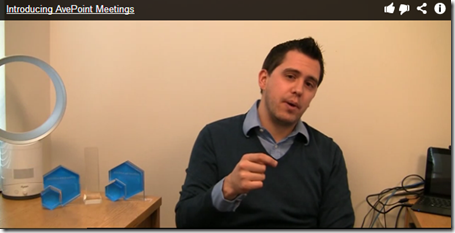
AvePoint Meetings App for SharePoint 2013 is now available for free!

AvePoint has released a new free app to the SharePoint Store called AvePoint Meetings. Not only does it offer SharePoint 2007/2010 Meeting workspaces functionalities which have been sadly deprecated in SharePoint 2013, but also it comes with many new features that allows for better collaboration and productivity.

2


AvePoint Meetings is the latest addition to its line of Productivity Apps in the SharePoint 2013 App Store. AvePoint Meetings allows business users to collaborate with one another in real-time before, during, and after meetings by:

  • Creating single or reoccurring meetings
  • Allowing meeting attendees to adjust and update meeting agendas as well as discussion topics
  • Capturing meeting information and notes with multi-user support
  • Tracking meeting minutes with full auditing, allowing for historical search capabilities
  • Assigning, aggregating, and synchronizing tasks and actions

4


For more information, you can watch Jeremy’s video or directly download the app to further explore it.


Wiki Page Vs. Application Page Vs. Web Part page Vs. publishing page

This is a question that I was asked three times during last week. The difference between the different types of pages very much depend on whether your view is as developer or as end user.Here is a very good post on SharePoint StackExchange that explains the differences in a very simple way. I’m cross-posting it here for your convenience.

SharePoint Pages from a developer point of view

From a developer point of view there are three main kind of pages in SharePoint: Application Pages, Master Pages and Site Pages

Application Pages

Application pages are pages stored in a folder below {SharePointRoot}\Template\Layouts they are accessed through a Virtual directory _layouts which is present below all SharePoint sites. The behave as completely ordinary ASP.NET pages except that they know which SharePoint site they are accessed as part of. They should be/are used for things which should be available on all sites like different kind of settings.

Master Pages

Master pages are just ordinary ASP.NET master pages which can be used to control the part of the html which is common to all pages in a Site Collection, like overall layout and navigation. The contain ContentPlaceHolders which is then replaced by the content of Content controls on the individual pages.

Site Pages

Site Pages are a very special kind of pages. They are (at least initially) usually stored in the folder for the corresponding Feature/Site Definition. They become available through a <Module> element in a Feature/Site Definition or though code like “add page”, which when the feature is activated (or the Site Definition provisioned)(or the code runs) will create a record in the content database for the site linking a URL to the file in the file system.
At this point the site page is uncustomized (or Ghosted (old terminology)). But using SharePoint Designer, the object model or browser the end user may change the content of the page for a specific URL (in a specific site). The changed page is then stored in the content database and is now customized (or Unghosted) and has some limitations due to security (can’t contain server side code in markup, may only inherit from safe base classes and may only contain controls which are safe).

Site Pages are the pages you’ll normally let the end users use. They come in a number of variations:

Pure site pages

(My own term) Standard ASP.NET pages where the developer controls what’s on the page. Very uncommon.

Web Part pages

Pages inheriting from Microsoft.SharePoint.WebPartPages.WebPartPage containing a number of WebPartZones where the developer/end user can add web parts to control what the page shows/can do. In previous versions of SharePoint very common and very powerful.

Wiki pages

The new way of creating content pages. Very similar to web part pages, but instead of having multiple web part zones it usually only have one which is hidden. It then has a Wiki field which can easily be edited and can contain markup which will make the web parts from the hidden zone appear inline in the content (as divs)

It can be combined with multiple WebPartZones to allow more control of placement of web parts.

Publishing Pages/Page layouts

From a developer point of view publishing pages isn’t really pages, but List Items which is bound to a Page Layout. The Page layout on the other hand is almost what I call pure site pages, but can only be displayed by a corresponding publishing page List Item, they contain controls which allows display/editing of the columns in the List Item.

SharePoint Pages from a end user point of view

Settings pages = Application pages

Pages where they can change some settings, but have no control of what’s on the page

Web Part pages

The standard type of page in a site which started as a blank site. Allows the end user to put web parts in different zone, which makes them ideal for building “mashup” application, but hard to create ordinary content in.

Wiki pages

The standard type of pages in collaboration sites. Allows very easy editing of content and the mix-in of web parts when needed. Very good for unstructured content.

Publishing pages

The standard type of pages in publishing sites. The structure of the content is very much controlled by the page layouts, usually very limited use of web parts. Very good for making the site look consistent.