All posts by Ayman El-Hattab

Ayman El-Hattab is a Technology Evangelist @ Nintex & a recognized industry expert focusing on helping organizations plan, design, develop, build, govern and operate enterprise collaboration solutions. You can follow Ayman on Twitter @AymanElHattab to stay updated on his upcoming activities.

[Arabic Video] Authoring, Running & Replaying Manual Test Cases for SharePoint using Microsoft Test Manager 2012

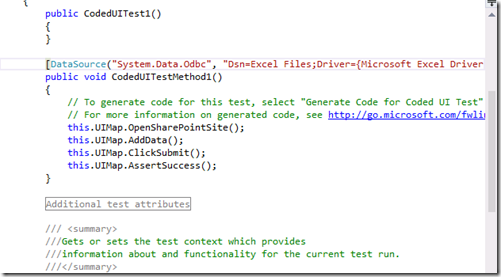
In the previous two videos, I’ve showed you how to do Test Automation for SharePoint using Coded UI Tests in Visual Studio 2012 Premium or Ultimate. I’ve also showed you how to run your coded UI test multiple times with different sets of data to test different conditions “Data-driven Coded UI Tests”.

Today, I’ll tackle another area which is Manual testing. In today’s video, you will learn how to use Microsoft Test Manager 2012 to author a manual test case for your SharePoint Application and take advantage of test parameters. I will then run this test case using the Microsoft Test Runner against my SharePoint Application. While running this test case I will capture an action recording which can be used to take advantage of Fast Forward for Manual Testing, to quickly re-run test steps or even entire test cases in the future “Fast Forward for Manual Tests”. You can watch the video here.

3


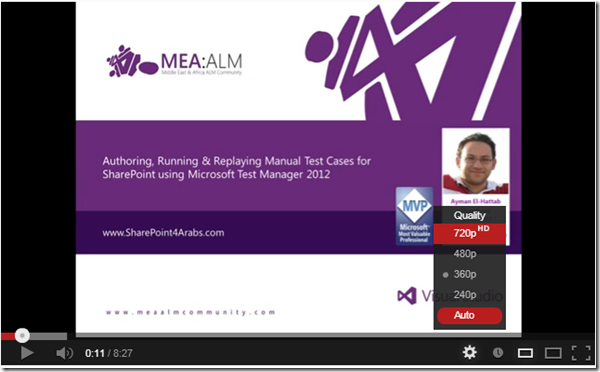
Please note that you might need to change the quality to 720p (HD) as shown below for the best experience :
4

[Arabic Video] Data-Driven Coded UI Testing for SharePoint using Visual Studio 2012

In the previous post, I showed you through a video how to create Coded UI Tests for SharePoint using Visual Studio 2012 with specified data. But what if you want to run your coded UI test multiple times with different sets of data to test different conditions?

To do this you can add parameter values from a data source to create a data-driven coded UI test. Each row in the data source is an iteration of the coded UI test. The overall result of the test will be based on the outcome for all the iterations. For example, if one test iteration fails, the overall test result is failure.

I have created another video (in Arabic) to show you the whole process of creating Data-Driven Coded UI Tests for SharePoint. you can watch the video here (http://youtu.be/wG7o0SaGndg ).

11


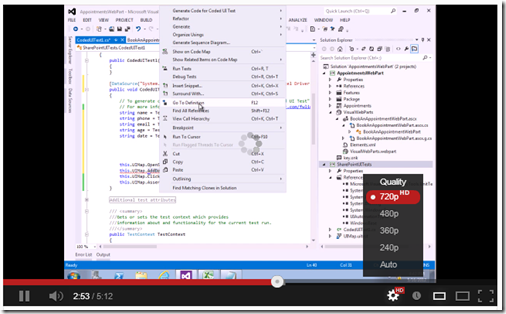
Please note that you might need to change the quality to 720 px (HD) as shown below for the best experience :
12


[Arabic Video] SharePoint UI Test Automation using Visual Studio 2012

You can use Visual Studio 2012 to create automated tests of the user interface (UI) known as coded UI tests. These tests provide functional testing of the user interface and validation of user interface controls. Automated UI tests enable you to test that the user interface is functioning correctly after code changes. They are quicker to run than manual tests. Therefore, you can run them more frequently.

9


Visual Studio 2010 partially supported Coded UI Testing for SharePoint while Visual Studio 2012 was pretty close to fully supporting this but there were a few SharePoint specific issues that the product team wasn’t able to address that made CodedUI (functional testing) not work well for SharePoint. In Visual Studio 2012 Update 1, those issues were addressed and now Coded UI Testing is fully supported for SharePoint 2010.

I’ve recorded a quick video (in Arabic) to help you quickly get started with Coded UI Testing for SharePoint, you can watch the video here 

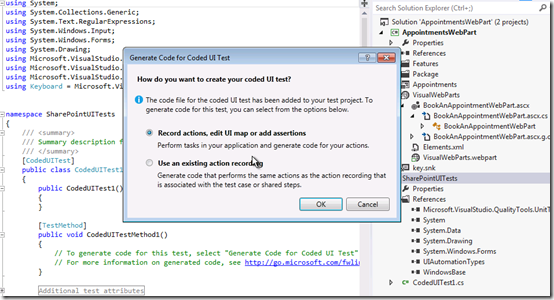
Please note that you might need to change the quality to 720 px (HD) as shown below for the best experience :
10

[Arabic Video] Web and Load Testing SharePoint Applications

I was super excited on Sep 12th when I first read Brian Harry’s announcement about the enhancements done in the Web & Load Testing tools in Visual Studio 2012 Update 1 to completely support SharePoint. Here us a snapshot from the first announcement :

17


Yesterday, I was trying the tools for the first time & created a video in Arabic to show the new features and tool enhancements, you can watch the video here http://youtu.be/VVhRTikOnI4

18


Appreciate your feedback as usual Smile

[Arabic Video] Creating Unit Tests using the SharePoint Emulators

After I published the “SharePoint & IntelliTrace” video the other day, I received many requests for another video about the “SharePoint Emulators”. I fired up Camtasia and recorded a quick video to get you guys introduced to this new feature. You can watch the video here.
13
See Also:

– ShimNotSupportedException when trying Visual Studio 2012 SharePoint Emulators

– [Arabic Video] Visual Studio 2012 IntelliTrace Support for SharePoint

[Arabic Video] Visual Studio 2012 IntelliTrace Support for SharePoint

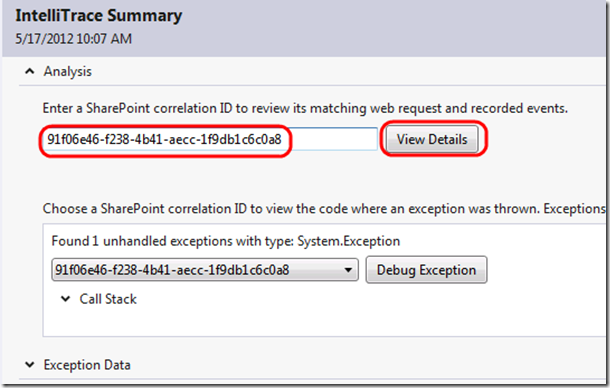
With IntelliTrace in Visual Studio Ultimate 2012 Update 1, SharePoint developers now have a way for directly using Correlation IDs to diagnose production issues originating from SharePoint custom code as well as debugging & fixing it.

Traditional debuggers give SharePoint developers only a snapshot of the state of their applications at the current moment. However, IntelliTrace can be used by SharePoint Developers to review, and even navigate to, past events that occurred in their applications and the context in which the events occurred. This is also known as “Historical Debugging”

I’ve created a quick video in Arabic to walk you through a real-life scenario in which IntelliTrace was used to quickly diagnose and fix a production issue. You can watch the video here ..

12


For the English version of the video, you can watch the one available on Channel 9.

ShimNotSupportedException when trying Visual Studio 2012 SharePoint Emulators

Yesterday, I downloaded Brian Keller’s Updated Virtual Machine for Visual Studio 2012 Update 1 to start playing with the new features for SharePoint Development, Testing & Production debugging. The new stuff is really cool; now Microsoft Visual Studio Team can claim that they have a complete ALM story for building SharePoint Solutions.

One of the new features is “SharePoint Emulators” which is intended to solve the nightmares of SharePoint Unit Testing by providing a system of Fakes based shims implementing the basic behaviors of the SharePoint 2010 server object model.

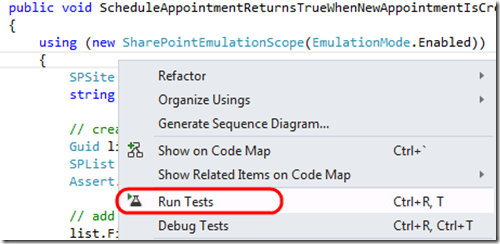
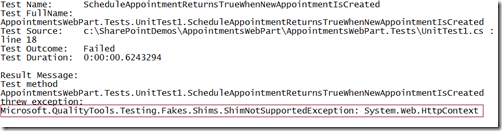
I fired up Visual Studio 2012 and created a couple of Unit Tests that use the SharePoint Emulators but I kept on receiving the “ShimNotSupportedException” Exception when trying to run it from Visual Studio Test Explorer.

7 8 9


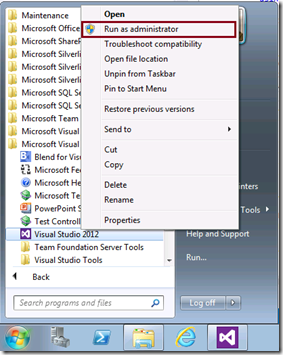
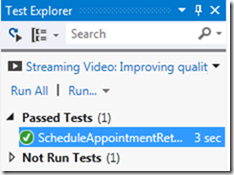
The solution is simple, just run Visual Studio 2012 “As an Administrator” Smile and this by the way applies to any Unit Tests using Microsoft Fakes Framework and not only SharePoint.

10 11

SharePoint Application Lifecycle Management: Automated Builds and Testing for SharePoint projects

Whether experienced or novice, most SharePoint development teams can improve their processes with the help of Team Foundation Server and Visual Studio  – specifically with automated WSP builds and VS2010 Coded UI testing (which can have a much lower barrier to entry than unit testing). When a few of these capabilities are strung together, the results are incredible for dev teams. In TechEd 2012, Jay Schmelzer delivered a very good session covering the following:

  • Automating the build,
  • deploying the resulting WSPs to a remote SharePoint environment
  • automatically running UI tests against the site.

You can download the session from here ..

SharePoint 2013 Training for Developers

In co-operation with Critical Path Training, Microsoft has released a massive amount of videos and excellent content for new customization capabilities for SharePoint 2013. You can find the traininghere ..

1


Introduction to Office 2013 and SharePoint 2013 development

2


SharePoint 2013 app model for developers

3


SharePoint 2013 developer tools

4


Create hosted apps in SharePoint 2013

5


Create cloud-hosted apps for SharePoint 2013

6


SharePoint 2013 client object model (CSOM) and REST APIs

7


OAuth and application identity in SharePoint 2013

8


Develop SharePoint 2013 remote event receivers

9


Workflow changes and features in SharePoint 2013

10


Business Connectivity Services changes in SharePoint 2013

11


Search features and changes in SharePoint 2013

12


Enterprise content management changes in SharePoint 2013

13


Web content management (WCM) changes and features in SharePoint 2013

14


Social features in SharePoint 2013

15


Office services in SharePoint 2013

16


Create mobile apps for SharePoint 2013

17


Develop apps for Office 2013

19


Project Server 2013 training for developers

I’ll also be creating a series of videos in Arabic. I’m planning to release some in Jan 2013.


Visual Studio 2012 Storyboarding Vs. Sketchflow

This is a question that I have been receiving in almost each Visual Studio 2012 event or session; “What is Visual Studio 2012 Storyboarding and how does it differ from Sketchflow?”

To answer this question, let me give you the historical background of Microsoft prototyping tools and the motivation behind the new one.

A few years ago, Microsoft Visio was our only choice for UI prototyping, however the outcomes of Visio for UI prototyping was very basic. More recently, Microsoft released Sketchflow which provides a quick way to prototype user interface scenarios. It has a far richer set of user controls for designing User Interfaces. The prototypes can also be designed using Silverlight or WPF, so that the final outcomes can then be directly used within actual WPF or Silverlight projects. Of course, this was perfectly OK for technical people but wasn’t the best choice for business users or people with limited technical skills (Business Analysts, Quality Teams, etc…).

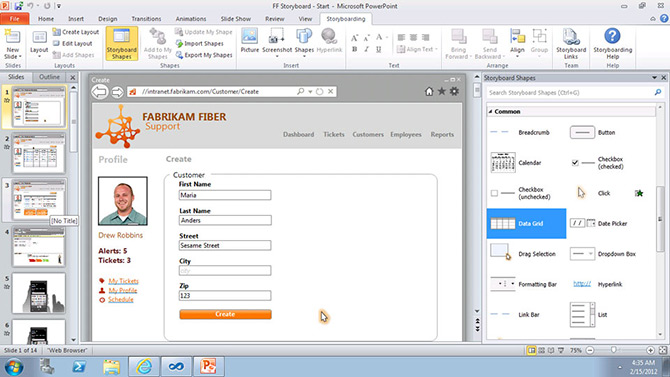
Microsoft heard the feedback of its customers loud and clear and it accordingly shipped a great and simple PowerPoint add-in with Visual Studio 2012 for prototyping. PowerPoint is familiar to almost every user who frequently uses Microsoft Office. Unlike working with Sketchflow, which requires a separate application, every user’s machine will have Microsoft Office installed on their system thus making sharing these UI prototypes an easy task.

1


To watch Visual Studio Storyboarding capabilities in action, please check this Video:


In summary,

SketchFlow is for building working prototypes of software for developers, while the new storyboarding capabilities allow business analysts or non-technical people to capture lightweight requirements from different stakeholders.