All posts by Ayman El-Hattab

Ayman El-Hattab is a Technology Evangelist @ Nintex & a recognized industry expert focusing on helping organizations plan, design, develop, build, govern and operate enterprise collaboration solutions. You can follow Ayman on Twitter @AymanElHattab to stay updated on his upcoming activities.

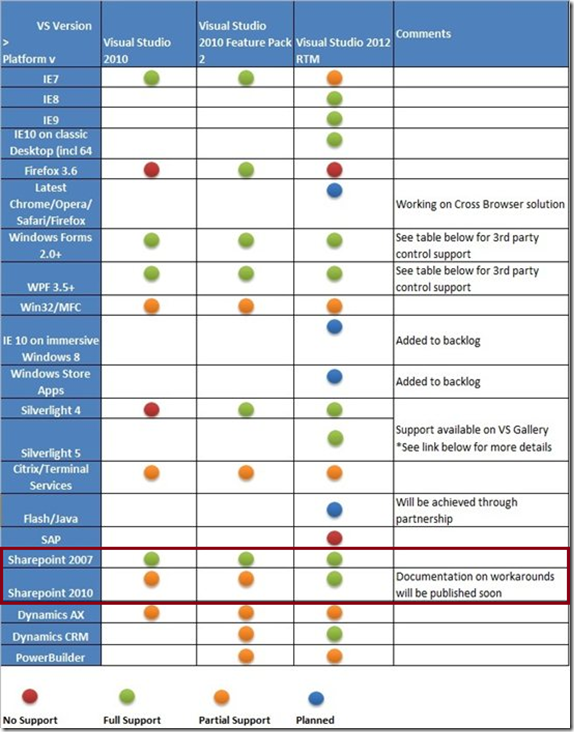
Coded UI Tests and Action Recordings Support for SharePoint 2007 & 2010

7

Source: http://msdn.microsoft.com/en-us/library/vstudio/dd380742.aspx

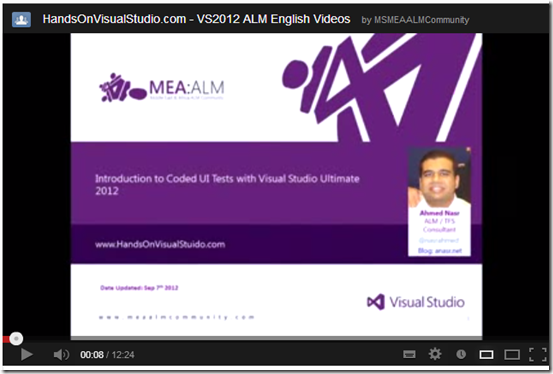
For more info about Coded UI Testing in general, you can watch the following videos, the first one is in English and the second is in Arabic :
8
It’s worth mentioning that both videos were created for MEA ALM Community YouTube Channel .. Stay tuned for another video about SharePoint Coded UI Testing very soon..

Slides, Videos & Photos from Egypt Visual Studio 2012 Launch in Cairo

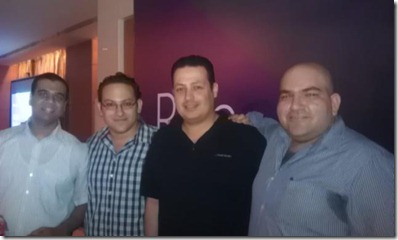
As promised during my session during Visual Studio 2012 launch in Cairo, I’m sharing here the slide deck I used as well as videos for the demos I delivered and a couple of photos from the event. Please don’t hesitate to contact me in case I missed anything.

Slides:

1


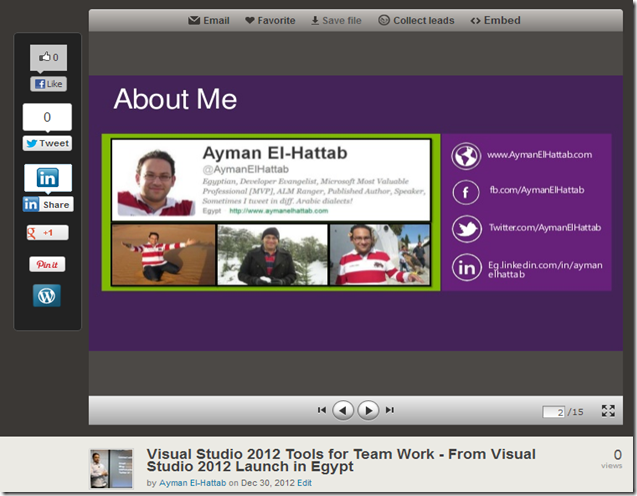
Check the slide-deck on SlideShare

2


Watch video on YouTube

6 7


Speaking @ Egypt Visual Studio 2012 Launch (Dec 26th 2012)

This is a quick note to let you know that I’ll be speaking @ Egypt Visual Studio 2012 launch next Wednesday, Dec 20th 2012.

8


Session Title: Tools for Team Work.

Registration : Here

Location : Four Seasons Nile Plaza, Nile Plaza – 1089 Corniche El Nile – Garden City , Cairo Egypt

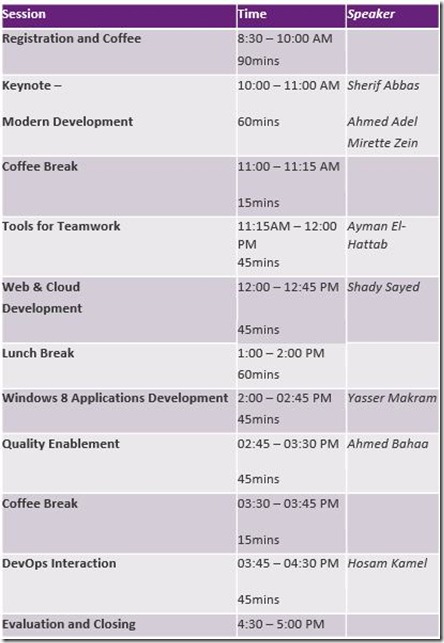
Agenda :

9


Looking forward to meeting you Smile

Announcing HandsOnVisualStudio.com

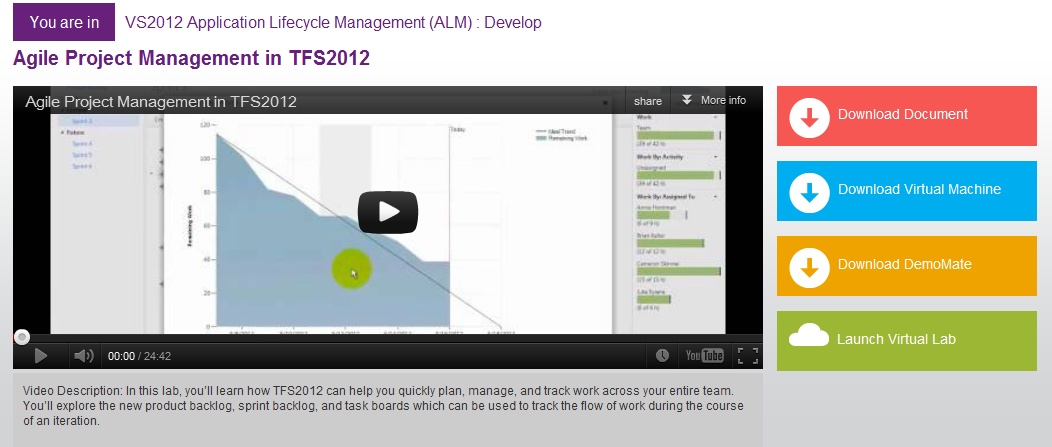
While the world was enjoying the virtual launch of Visual Studio 2012, MEA ALM Community Team was celebrating it in a different but a cool way. We are very glad to announce that HandsOnVisualStudio.com is now up and running. This website is intended to help you learn, experience and practice Visual Studio 2012 through HOLs, videos, demo mates, Virtual Labs and more.

14


Oh, and the SharePoint labs are coming very soon Smile

“The Visual Guide for Building Team Foundation Server 2012 Environments” is now available!

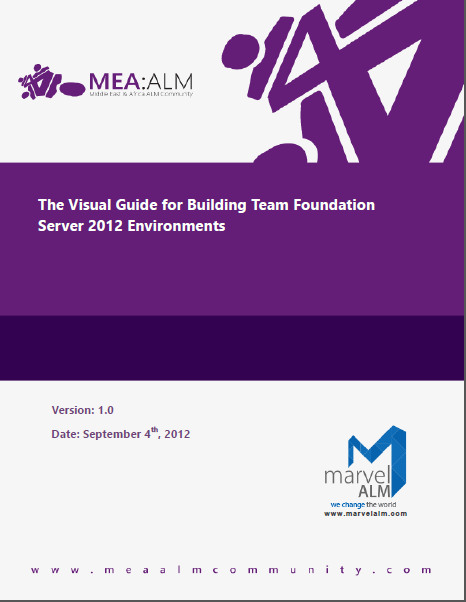
This is just a quick note to let you know that MEA ALM Community Team has just published The Visual Guide for Building Team Foundation Server 2012 Environments.

The Visual Guide for Building Team Foundation Server 2012 Environments is not only intended to walk you through the installation and the configuration process of Team Foundation Server 2012 but it is also written and designed to reflect real-world experience of the installation and configuration processes via detailed steps, well-defined  screenshots and videos; and hence the name “Visual Guide”.

15 16


Download the Guide

Final release is available now! Start using the guide today, while we continue to further improve it.

Watch the Videos

This Guide comes with 38 videos that explain all scenarios in a step-by-step manner.

Parts

Part 1- Introduction & Overview

Part 2 – Creating & Preparing the Required Infrastructure

Part 3- Installing and Configuring Team Foundation Server Pre-requisites

Part 4- Installing and Configuring Team Foundation Server

Appendices

Chapters
Part 1- Introduction & Overview
  • Chapter 1: Introduction
  • Chapter 2: Architecture & System Requirements
Part 2 – Creating & Preparing the Required Infrastructure
  • Chapter 3: Creating & Preparing the Domain Controller
  • Chapter 4: Creating & Preparing the TFS Infrastructure Physical Machine (Hyper-V Host)
  • Chapter 5: Creating & Preparing the Team Foundation Server Virtual Machine
Part 3- Installing and Configuring Team Foundation Server Pre-requisites
  • Chapter 6: Installing & Configuring SQL Server 2012
  • Chapter 7: Installing & Configuring SharePoint Server 2010
  • Chapter 8: Configuring SharePoint Server 2010 for Dashboard Compatibility
Part Part 4- Installing and Configuring Team Foundation Server
  • Chapter 9: Installing & Configuring Team Foundation Server 2012
  • Chapter 10: Configuring the Team Build Service
  • Chapter 11: Configuring the Enterprise Application Definition
Appendices
  • A. Creating Local Service Accounts and Groups for Windows Server 2012
  • B. Installing Hyper-V Role on Windows Server 2008 R2
  • C. Adding .NET 3.5 Framework feature for Windows Server 2008 R2
  • D. Configuring SQL Server 2012 Analysis Services Port
  • E. Configuring SQL Server 2012 Database Engine Port
  • F. SQL Server 2012 Installation Verification
  • G. SharePoint Server 2010 SP1 Installation Verification
  • H. Team Foundation Server 2012 Installation & Configuration Verification

Videos

SharePoint Development Best Practices @ MEA ALM Community

If you are following me on Twitter, you have most probably seen my tweets yesterday about the official launch of MEA ALM Community (Middle East & Africa Application Lifecycle Management Community). Beside being a co-founder and community lead, I’ll be assuming the role of “SharePoint Practice Lead” and will be focusing on SharePoint as a development platform as well as the best practices for building SharePoint solutions using Microsoft Visual Studio ALM tools.

I’m shooting for December 2012 to create a series of videos in Arabic & English to explain how to use Visual Studio 2012 Testing tools for SharePoint.

13


14


Join us on Facebook : www.facebook.com/meaalmcommunity

Follow us on Twitter : www.twitter.com/meaalmcommunity

Watch our videos on YouTube: www.youtube.com/msmeaalmcommunity

[Step-By-Step Videos] Installing SharePoint 2010 and SQL Server 2012 on Windows Server 2012

This is a very detailed step-by-step video series for Installing SharePoint 2010 & SQL Server 2012 on Windows Server 2012.

Installing Windows Server 2012
Configuring the Local Policies
Adding .NET 3.5 Windows Feature
Installing SQL Server 2012
Configuring Analysis Services to Recover on Failure
Adding the Required Roles and Features
Emulating the Exit Code
Installing SharePoint 2010 Prerequisites
Installing SharePoint Server 2010
Configuring the Default Application Pool
Configuring SharePoint Server 2010
Your feedback is very much appreciated ..

SharePoint Development Videos from TechEd North America 2012

TechEd is Microsoft’s premier technology conference for IT professionals and developers, offering the most comprehensive technical education across Microsoft’s current and soon-to-be- released suite of products, solutions, tools, and services.

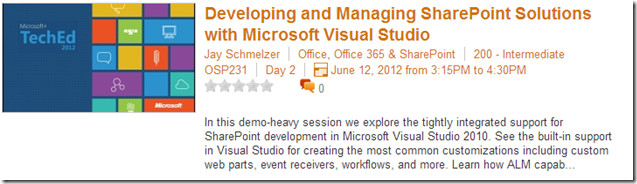
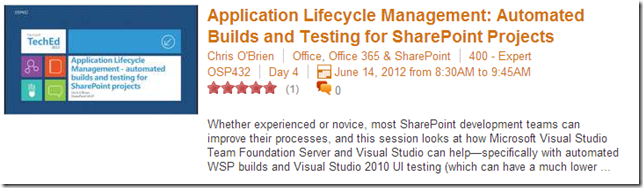
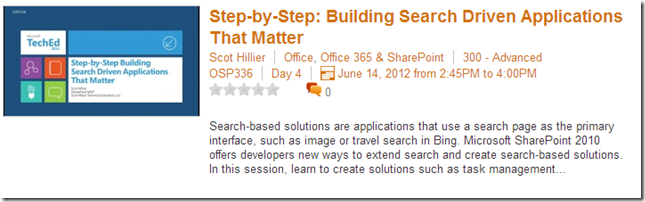
TechEd North America 2012 particularly was very special to me because it featured many sessions about SharePoint Development & Testing. I’ve compiled below a list of the must-watch videos for SharePoint Developers, Testers & Architects :

19


Download http://video.ch9.ms/teched/2012/na/OSP231.wmv

20


Download http://video.ch9.ms/teched/2012/na/OSP337.wmv

1

Download http://video.ch9.ms/teched/2012/na/OSP302.wmv

4

Download http://video.ch9.ms/teched/2012/na/OSP433.wmv

5

Download http://video.ch9.ms/teched/2012/na/OSP432.wmv

6

Download http://video.ch9.ms/teched/2012/na/OSP336.wmv


SharePoint 2013 IT Pro Training

If you were not following the buzz yesterday on Twitter, I would like to share with you that Microsoft, in co-operation with Critical Path Training, has released some excellent IT Pro content for SharePoint 2013. They released 50 individual videos which are from 10 minutes to 1 hours, depending on topic. They also released all presentations used for these recordings, so that the community can use both videos and presentations offline as well. Here’s some stats on what was now released.

  • 50 videos
  • Overall video time 15 hours and 14 minutes
  • Overall slide count 748

Here’s the complete set of modules, with descriptions, which each has one or more videos.

  • SharePoint 2013 IT pro introduction and overview
    • Get an overview of key changes and new concepts in SharePoint Server 2013 and SharePoint Foundation 2013.
  • SharePoint 2013 system requirements
    • Learn about the hardware and software requirements for SharePoint 2013 and supported browser levels and setup considerations.
  • SharePoint 2013 architectural changes
    • Learn about key architectural changes in the SharePoint 2013 platform. We’ll highlight the most relevant changes from an overall architectural perspective.
  • SharePoint 2013 server farms and site architecture planning
    • Plan for server farms and sites in SharePoint 2013. Learn about planning for the distributed cache, changes in alternate access mappings and self-service site creation, new features in themes, and new ways to share sites, lists, and libraries.
  • Office Web Apps 2013 architecture and deployment
    • Learn about the new architecture and deployment model for Office Web Apps including architectural changes, deployment options, and operation aspects.
  • SharePoint 2013 service application architecture and individual service applications
    • Get an overview of about changes in individual service applications in SharePoint 2013, including new service applications, general considerations, and changes in service application architecture.
  • SharePoint 2013 enterprise search overview
    • Learn about the redesigned Enterprise Search in SharePoint 2013 including architectural changes to physical and logical topologies, details about configuration options for crawling, content, and query.
  • SharePoint 2013 social features
    • Social is one of the largest investments in SharePoint 2013. New features and capabilities provide a better and more comprehensive story for social computing in SharePoint 2013. Get a walkthrough of social features in SharePoint 2013.
  • SharePoint 2013 enterprise content management and web content management considerations
    • Get an overview of key changes and improvements in enterprise content management (ECM) and web content management (WCM) in SharePoint 2013. Learn about new capabilities from eDiscover improvements to major new capabilities for WCM-driven sites.
  • SharePoint 2013 customization options and management
    • Learn about the new customization capabilities in SharePoint 2013 and what that means from IT pro perspective. Learn about required infrastructural changes for new customization capabilities and setting up team development environments.
  • SharePoint 2013 authentication and authorization overview
    • Get an overview of changes in claims-based authentication in SharePoint 2013. Learn about new support for OAuth and how it’s used in SharePoint 2013. Also see how OAuth is used in Server to Server (S2S) authentication scenarios.
  • Overview of SharePoint 2013 business continuity management
    • Learn about the approaches and techniques to use when devising a meaningful and cost-effective business continuity management (BCM) strategy for SharePoint 2013.
  • Upgrading to SharePoint 2013
    • Learn about the different facets of upgrade preparation and understand the key skills and techniques you’ll need to successfully upgrade to SharePoint 2013

You can get the training from: